 Damda
DamdaEverything your team works on, in one place
Projects, conversations, documents, schedules, and performance reviews on one platform — and you can keep all of it on your own servers.
Start on our cloud or install on-premise · 30-day demo
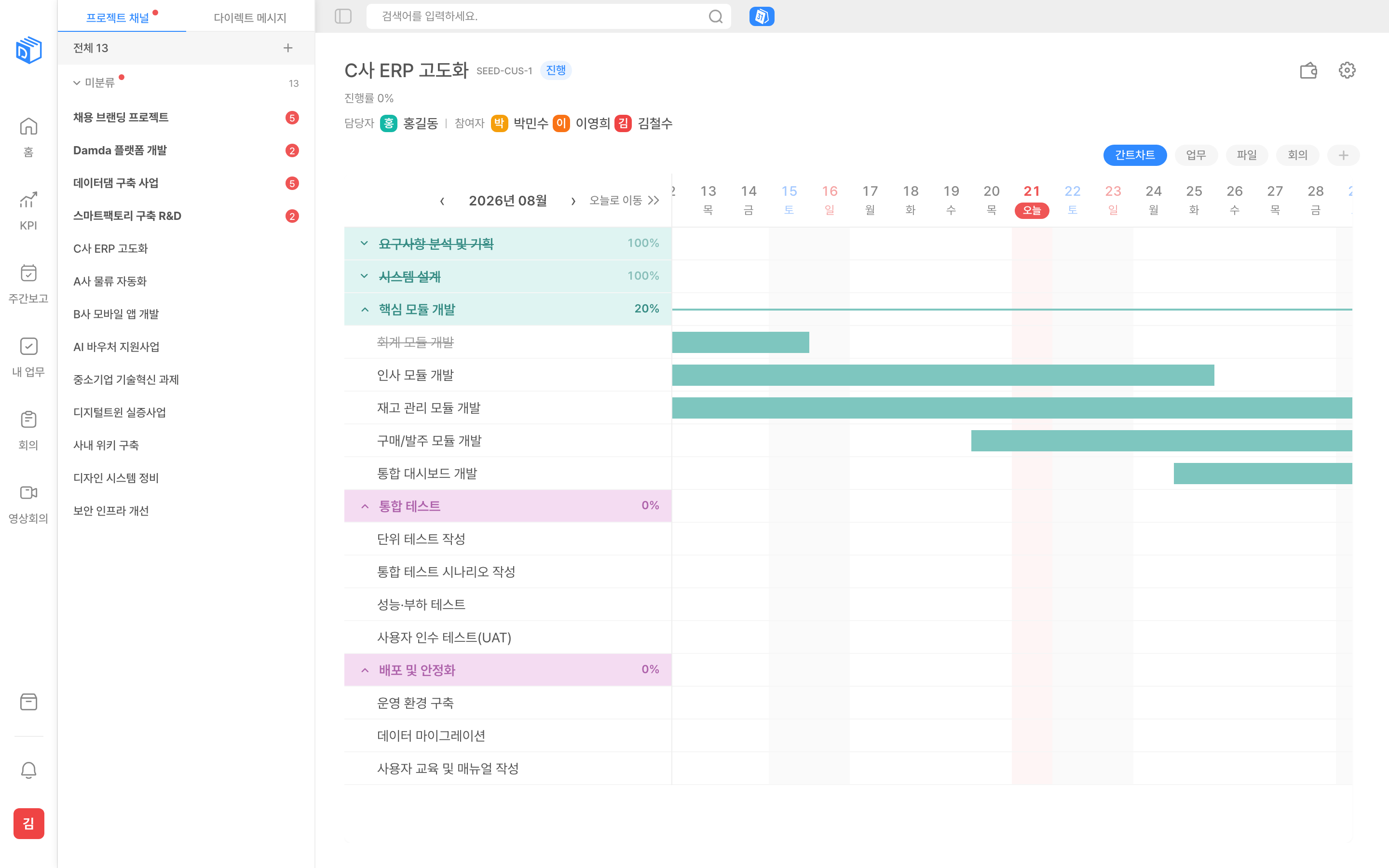
All of it on one screen
From projects through to reviews, without switching tools halfway.
Gantt, Kanban, and tables in one project
- Manage tasks as a tree underneath milestones
- Add subtasks and assign more than one owner to a task
- Project progress recalculates itself whenever a task status changes
- Define your own table columns — including formula and file attachment columns
Work that stops being work
Not another tool to keep open — these are the jobs your team currently fills in by hand.
Stop collecting weekly reports by email
Set the reporting line once; each week opens itself, and one screen shows who has filed and who has not.
Stop running KPIs in spreadsheets
Set the goal, confirm it, and it locks. Inside the period only progress moves, in rounds — with the approval history kept.
Stop asking people for status
When a task changes state, milestone and project progress are recalculated for you.
Stop opening everything to outside collaborators
A guest sees only the projects they were invited to, loses access when the period ends, and never consumes a seat.
Stop losing meeting notes outside the project
Link a meeting to a project and it shows up there too. Video conferencing sits alongside it as its own feature.
Stop hunting for where a document went
Tasks, meeting notes, and announcements each carry a body. One search sweeps conversations and files with them.
How many tools do you keep open to get work done?
Projects live in an issue tracker, conversations in a messenger, documents in a wiki, schedules in a calendar, and KPIs in a spreadsheet. Time goes into remembering where something was written, and search never crosses from one tool into the next.
Today
- Project tracker
- Messenger
- Docs and wiki
- Calendar
- KPI spreadsheet
Five scattered tools — search stops at every boundary
Damda
One account · one screen · one place for the data
The discussion in a project channel, the decision in the meeting notes, the dates on the Gantt chart, and the KPI targets all sit together. A single search covers channels, tasks, files, and messages at once.
Built for how Korean organisations actually work
These are the things global tools answer with “build it yourself”. In Damda they are there from the first day.
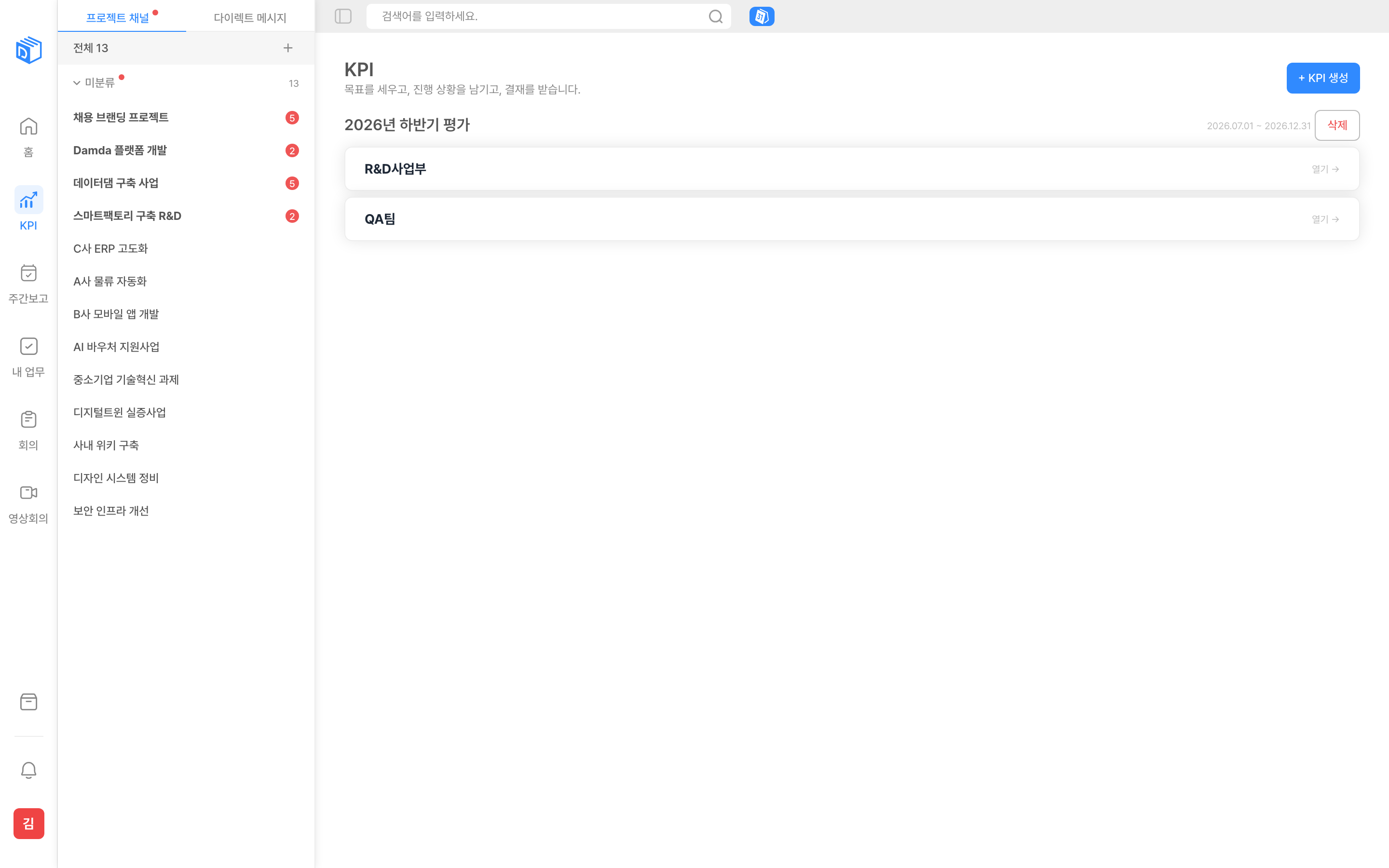
KPI approval paths
The team manager starts the cycle and writes the team KPI; the final approver confirms it, and individual KPIs then open by themselves. Confirmed goals lock, and progress moves only inside an open round.
Weekly report lines
Set a reporting line per team with first, second, and third reviewers. Each week opens by itself, and once a stage signs off only the next person is notified.
Business trip tracking
Register the places you called at in order, along with the dates and how you travelled, and the trip appears on the calendar with everything else.
Standard defect form for SI projects
An issue form carrying defect type, severity, frequency, detection phase, environment, and resolution type — usable as an acceptance deliverable as it is.
Bill of materials, budget, and risk tables
Item, quantity, unit price, amount (formula), status, delivery date, and a quote attachment. You start from a template rather than an empty grid.
Announcement boards
Categorised into HR, systems, events, security, and benefits, with pinning and read receipts. You can see who has read a notice.
Thirty minutes tells you whether it fits
Tell us your size and how you want it deployed, and we will show you the screens that matter.
Why Damda
Documents and conversations as good as the dedicated tools — approvals, reviews, and project management that those tools cannot do at all.
| Damda | Doc tools | Messengers | Project tools | |
|---|---|---|---|---|
| KPI approval path (team→individual, checked in rounds) | Full support | Not available | Not available | Not available |
| Teams · team leads · member management | Full support | Not available | Partial support | Not available |
| Business trips · standard SI issue form | Full support | Not available | Not available | Partial support |
| BOM · budget · risk table templates | Full support | Partial support | Not available | Partial support |
| On-premise deployment | Full support | Not available | Not available | Partial support |
You choose where the data lives
Every deployment gives each customer a separate database. If data cannot leave your premises, choose on-premise.
Choose your deployment
Use the cloud we operate (Demo, Standard, Professional) or install Damda on your own servers (Enterprise).
Separate databases
Every deployment gives each customer its own database. We do not mix several companies into one table, so a mistaken query cannot expose another company’s data.
Audit log
Logins, permission changes, data deletions, and attachment access are recorded across about twenty event types.
Two-factor authentication
A second check through an authenticator app on top of the password. Owners and admins must enrol before they can sign in — the most privileged accounts are not left to choose.
Information security certifications
Pricing
Priced per seat, for the people who use it. Plans differ by allowance. If the data has to stay on your premises, choose on-premise.
Demo
Shared tenant
30-day trial · 10 seats fixed
Collaboration features, for 30 days
- Seats
- 10 seats
- Projects
- 10 Projects
- Storage included
- 1GB per seat
- Video conferencing
- 60 min/month per seat
- AI meeting notes
- 500 min total
- Handa AI
- Beta
Standard
Shared tenant
5 seats minimum
Everything collaboration needs
- Seats
- Unlimited
- Projects
- Unlimited
- Storage included
- 20GB per seat
- Video conferencing
- 300 min/month per seat
Professional
Shared tenant
20 seats minimum
A generous allowance, built for scale
- Seats
- Unlimited
- Projects
- Unlimited
- Storage included
- 52GB per seat
- Video conferencing
- 600 min/month per seat
- AI meeting notes
- 100 min/month per seat
- Handa AI
- Beta
- SAML SSO
- Planned
Enterprise
On-premise
Scoped with you
On-premise — sized and scoped with you
- Seats
- Unlimited
- Projects
- Unlimited
- Storage included
- By agreement
- Video conferencing
- Unlimited
- AI meeting notes
- Unlimited
- Handa AI
- Beta
- SAML SSO
- Planned
Getting started takes three steps
- 01
Talk to us
Send the form and someone will get back to you. Telling us your team size and preferred deployment up front makes the first conversation much faster.
- 02
Set up the instance
We open a workspace on our cloud or install Damda on your own servers, and set up your company profile, teams, and permissions together with you.
- 03
Onboard the team
Invite members from the admin account. Invitations go out by email, and we run training sessions for the people who will use it every day.
Frequently asked questions
What do we need in order to run Damda on our own servers?
How do we choose between the deployment options?
Can we invite partners from outside the company?
Does it work on mobile?
Which plans include video conferencing?
Can we upload large files?
If we use the AI features, where does our data go?
Can we connect an outside AI such as Claude to Damda?
Are two-factor authentication and SSO available?
See Damda set up the way your team works
A 30-minute demo covers the real screens and how a rollout actually goes.